

Imagine this: you’ve built a beautiful website, your product works flawlessly, and your marketing is getting clicks. But people visit your site, poke around, and leave without buying. Or they sign up for your service but never use its best feature. Frustrating, right?
The problem often isn’t what you’re offering—it’s the gap between what you think your customer is experiencing and what they actually feel and do.
You’re seeing your business from the inside out: features, pages, and processes. Your customer experiences it from the outside in: needs, frustrations, and moments of truth.
This is where a customer journey map becomes your most powerful tool. It’s not just a diagram; it’s a story. It flips the script and forces you to walk in your customer’s shoes, from the moment they realize they have a problem through to becoming a loyal advocate.
For small businesses and startups, this clarity isn’t a luxury; it’s survival. Resources are tight, and every interaction counts. At Charisol, our work building digital products for growing businesses has shown us one universal truth: the most successful products are built on profound empathy for the user. A journey map is the practical blueprint for building that empathy.
Let’s build that blueprint together.
What Exactly is a Customer Journey Map?
Think of it as a visual storyboard of your customer’s relationship with your business. It charts their step-by-step experience across different stages (like “Awareness,” “Consideration,” “Purchase,” “Onboarding”), detailing what they’re doing, thinking, and feeling at each point, and what touchpoints (website, email, social media, customer support) they interact with.
The ultimate goal? To identify the critical moments of friction, frustration, or delight. It shines a light on the leaks in your funnel and reveals unexpected opportunities to exceed expectations.
Why This Matters More Than Ever
Today’s customers have endless choices and short attention spans. A single confusing moment can send them to a competitor. Conversely, a surprisingly smooth and helpful experience can earn lifelong loyalty.
For a small business, this isn’t about competing on budget; it’s about competing on the quality of experience. A journey map helps you do that strategically, not guesswork.
Your Practical Template: Building the Map in 6 Steps
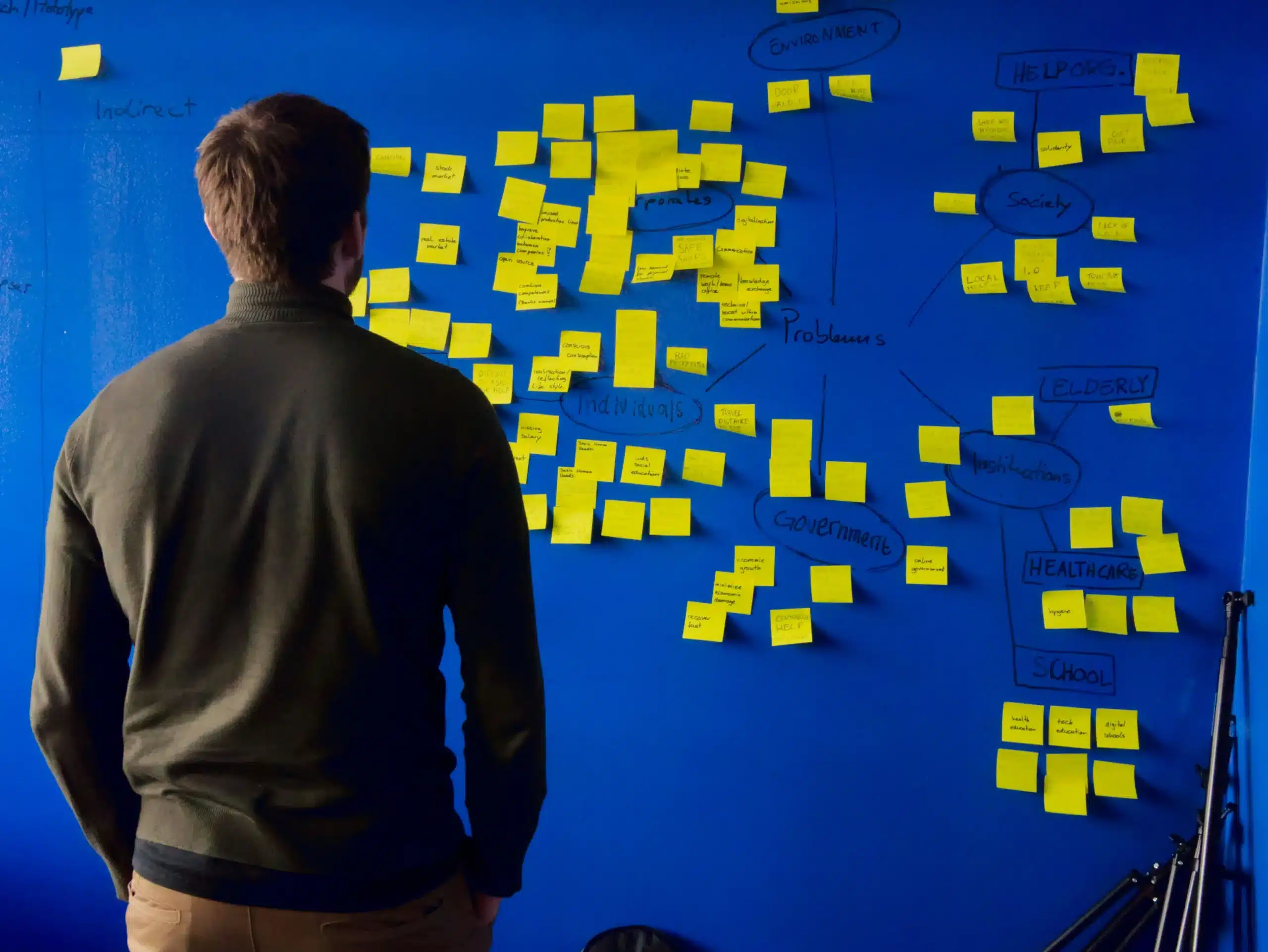
You don’t need fancy software to start. A whiteboard, sticky notes, and a marker will do. The value is in the collaborative thinking.
Step 1: Define Your Persona (The “Who”)
You can’t map a journey for “everyone.” Start with one primary customer persona. Who are they? What’s their main goal? What’s their biggest challenge?
If you haven’t defined this yet, it’s the essential first step. Base this on real data—interview past customers, survey your audience, and look at analytics.
*Example for a small e-commerce business: “Busy Brenda,” a working professional in her 30s who values quality, convenience, and sustainable products but has little time to research.*
Step 2: Outline the Journey Stages (The “When”)
Break down the customer’s end-to-end experience into 4-7 high-level phases. A common framework is:
- Awareness: The customer realizes they have a problem or need.
- Consideration: They are researching options to solve it.
- Decision/Purchase: They choose and buy your solution.
- Onboarding/First Use: They start using what they bought.
- Retention/Adoption: They use it regularly and get value.
- Advocacy: They become a fan and refer others.
Tailor these stages to your specific business. A SaaS product will have a heavy “Onboarding” stage, while a retail store might focus more on “Post-Purchase Support.”
Step 3: Map Customer Actions, Thoughts, and Emotions (The “What & Feel”)
This is the heart of the map. For each stage, get specific.
- Actions: What is the customer physically doing? (e.g., “Googles ‘best compostable coffee pods,’” “Reads reviews on your product page,” “Clicks ‘Contact Support’ button”).
- Thoughts: What questions are in their head? What are their criteria? (e.g., “Is this worth the price?” “Will this work with my machine?” “How do I set this up?”).
- Emotions: Chart their emotional state. Use a simple line from “Frustrated” to “Delighted.” This emotional curve is your goldmine. Where does it dip? Where does it peak?
Step 4: List Touchpoints and Channels (The “Where”)
Where do the actions happen? Is it in your Instagram ad, on your website’s FAQ page, in a delivery box, or during a customer service call? This shows you where you have control over the experience. You might discover a critical thought (“What’s the return policy?”) isn’t answered at the key touchpoint where it arises.
Step 5: Identify Pain Points and Opportunities (The “Why” & “How to Fix”)
Now, analyze your map.
- Pain Points: Where are emotions negative? Where do actions stop? These are your leaks. (e.g., “Frustration at stage 3 because shipping cost is only shown at the final checkout page”).
- Opportunities: For every pain point, brainstorm a solution. Also, look for moments of high emotion—can you enhance that delight? (e.g., “At the ‘Delighted’ moment of unboxing, include a thank-you note with a referral code.”).
Step 6: Assign Ownership and Take Action
A map that sits in a drawer is useless. For each key opportunity or critical pain point, assign an owner and a next step. This turns insight into action.
A Simple Customer Journey Map Template Structure
You can visualize this in a table format:
| Stage | Customer Actions | Thoughts & Questions | Emotional State | Touchpoints | Pain Points | Opportunities |
|---|---|---|---|---|---|---|
| Awareness | Fills out the contact form. Has a discovery call. | “My website looks so old.” “How can I update it affordably?” | Anxious, Overwhelmed | Social Media, Google Search, Blog | Too many vague options. Fear of high cost. | Create a clear guide: “Website Redo Options for Small Budgets.” |
| Consideration | Visits your service page. Compares packages. Reads case studies. | “Can they do what I need?” “Do they understand my industry?” “What’s the process?” | Hopeful, Cautious | Website, Portfolio, Pricing Page | Case studies feel generic. Process seems unclear. | Add specific, relatable case studies. Create a clear visual of our process. |
| Decision | Receives project plan. Has a kick-off meeting. | “Are they responsive?” “Do I trust them?” “Is this the right choice?” | Nervous, Optimistic | Contact Form, Email, Zoom Call | Wait-time for a reply feels long. | Use an auto-responder to set a timeline. Send a brief pre-call questionnaire. |
| Onboarding | Receives the final product. Sees business results. | “What do I need to provide?” “What’s next?” “Was this a good decision?” | Relieved, Engaged | Project Plan, Email, Meeting | Case studies feel generic. The process seems unclear. | Create a simple “First Steps” checklist. Schedule a dedicated Q&A session. |
| Advocacy | Information overload at the start. | “This was so smooth!” “I should tell others.” | Delighted, Proud | Live Website, Analytics Report | No easy way to share experience. | Ask for a testimonial. Create a referral program. |
Bringing Your Map to Life: Tips from Our Practice
At Charisol, our engineering and design mindset shapes how we use these maps. We “don’t reinvent the wheel, innovate.” Start with the simple template above; its power is in the discussion it sparks with your team.
- Base it on Real Insight: Use support ticket logs, survey responses, and analytics as your evidence. Don’t rely on assumptions.
- Make it a Team Sport: Include someone from marketing, sales, support, and development. Each sees a different part of the journey.
- It’s a Living Document: Update it quarterly or after major product changes. The journey evolves.
- Lead with Empathy: This is the core of our first value. The “Emotions” row isn’t fluff; it’s the most important data you have. If you don’t understand the feeling, you can’t fix the problem.
FAQs
This seems complex. Do I really need this for my small business?
Especially for a small business. You likely don’t have the budget to waste on marketing that misses the mark or features no one uses. A journey map brings focus, ensuring your limited resources solve real customer problems at the right time.
What’s the difference between a journey map and a user flow?
A great question. A user flow is a technical diagram showing the steps to complete a specific task (e.g., “checkout flow”). It’s about functionality. A journey map is strategic and emotional, covering the entire relationship across many channels, including offline feelings and thoughts. The flow is part of the map’s touchpoints.
How many personas should I map?
Start with one—your most important or typical customer. Trying to map multiple personas at once is confusing. Master one journey first.
What do I do with the map once it’s done?
Prioritize the biggest pain points and most significant opportunities. Create actionable tasks: “Redesign the pricing page to be clearer,” “Write a welcome email series for onboarding,” “Add a live chat widget during business hours.” Share it company-wide so everyone understands the customer’s story.
Conclusion
Building a customer journey map is an act of empathy. It forces you to stop talking about your features and start listening to your customer’s story. For the startups and small businesses we partner with at Charisol, this shift in perspective is often the breakthrough moment. It transforms how you communicate, what you build, and how you support your customers.
The map itself isn’t the finish line; it’s the starting line for building a more intuitive, frictionless, and ultimately more successful business. It turns random interactions into a cohesive, compelling experience that customers want to repeat and recommend.
Ready to see your business through your customer’s eyes? Start sketching out that first stage today. And if the gap between seeing the friction and having the technical or design resources to fix it feels wide, that’s where a partner can help. At Charisol, we use this exact empathetic, journey-driven approach to build digital products that solve real user problems and drive growth.
We invite you to explore our blog for more practical guides, or if you’re looking to turn these customer insights into a seamless digital experience, let’s start a conversation.
What’s the one moment in your customer’s journey where you’ve always suspected there might be a hidden frustration?